The Realistic Anatomy of an Android Phone Theft
Losing a smartphone involves far more than replacing hardware; it exposes personal communications, financial apps, two-factor authentication tokens, and private photos. Understanding how theft happens in practice is crucial to building effective protection:
Most theft incidents follow a predictable pattern: physical extraction, rapid flight, immediate attempt to disable wireless radios or turn off the device, followed by PIN guessing or computer data dumping. IntrudEye is engineered with corresponding countermeasures at each critical stage.
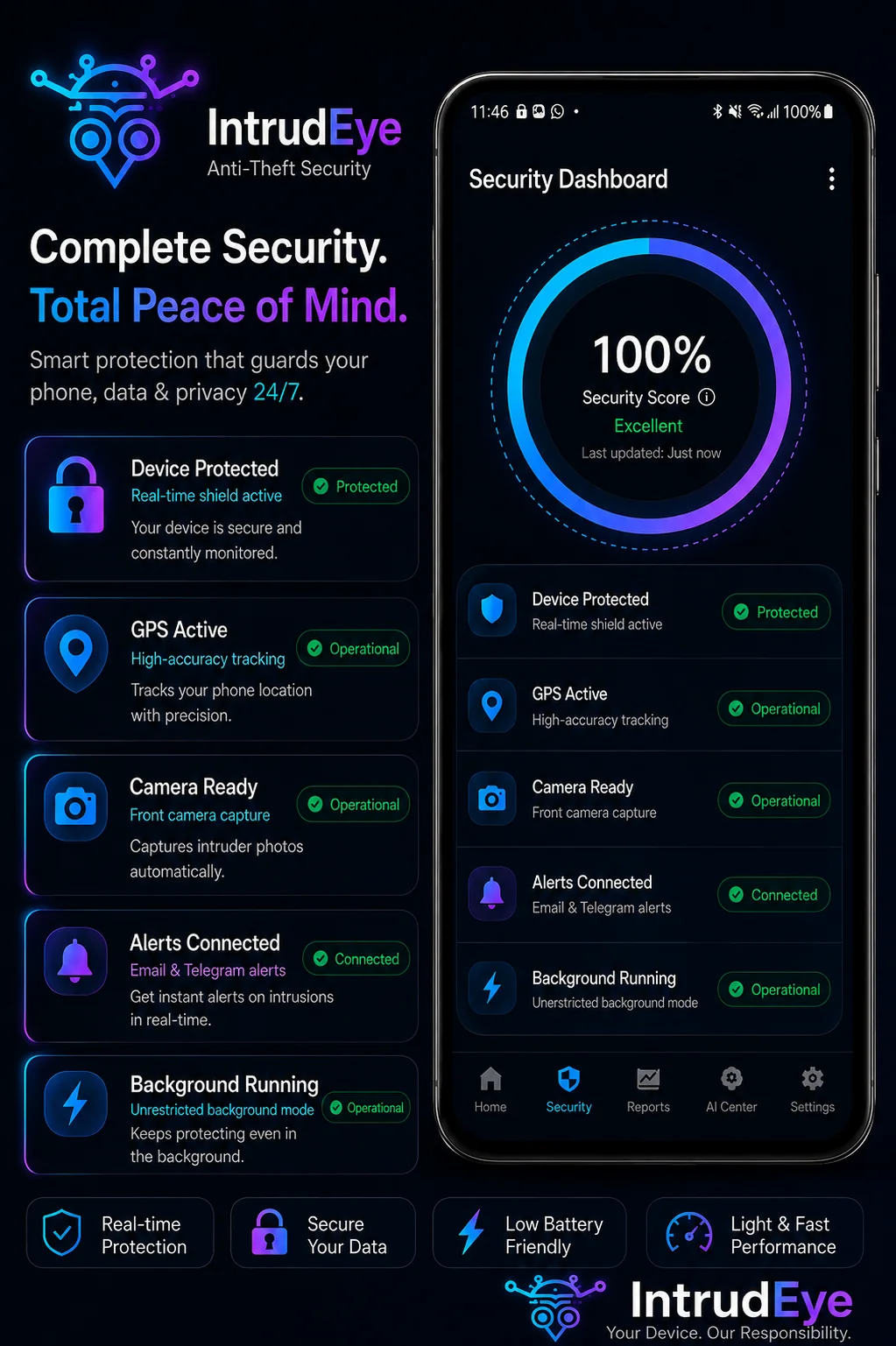 Real-Time Protection Status
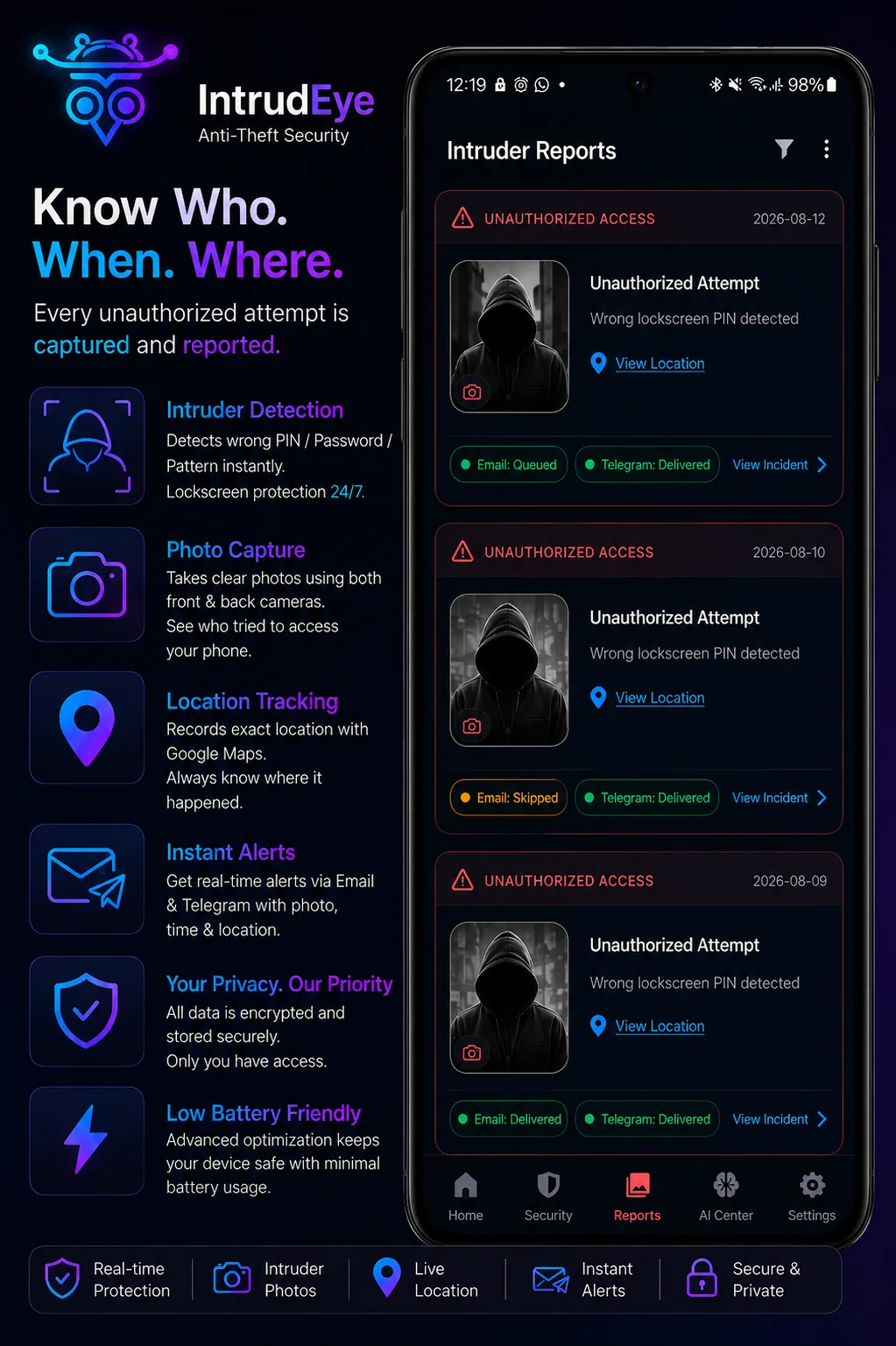 Incident Reports Vault
The 5-Stage IntrudEye Defense Timeline
Thief secretly removes the phone from your pocket in a crowd or transit hub. Rakvo™ Pocket Guard detects the abnormal motion pattern, triggering an immediate security siren to deter the theft.
Thief attempts incorrect PIN, pattern, or password combinations. IntrudEye intercepts failed attempts, silently taking front/rear camera photos and recording GPS coordinates.
Thief toggles Airplane Mode or moves underground. IntrudEye secures all photos and coordinates inside the local encrypted vault, queues remote alerts, and records cellular metrics where supported.
Thief connects the locked phone to a PC or attempts a forced power-down. USB & Power-Off Guard sounds the tamper siren and logs the hardware connection.
You check your Telegram bot or personal Email for the full incident report: high-res photos, timestamp, and Google Maps coordinate link for swift reporting to authorities.
Frequently Asked Questions
How do I stop the alarm when I retrieve my phone?
Simply unlock your phone using your legitimate fingerprint, PIN, pattern, or password. IntrudEye verifies legitimate ownership and instantly silences all alarms.
Can I inspect historical incident records on my device?
Yes. The Reports Vault inside IntrudEye maintains an encrypted local history of all past trigger events, photos, and location coordinates.
Equip Your Device with Coordinated Defense
Download IntrudEye on Google Play and keep your smartphone protected against theft.
Download Free on Google Play